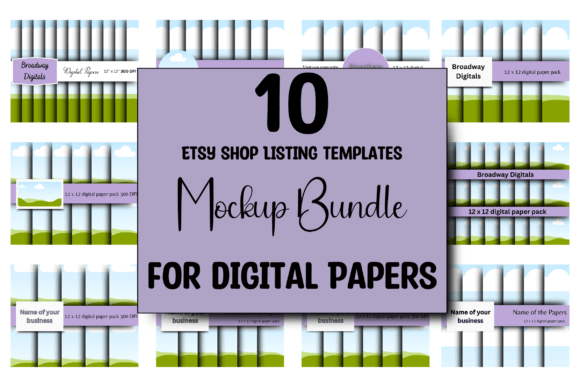
10 ETSY Digital Paper Mockup Templates for Stunning Ads
Creating compelling product listings for digital papers on Etsy can feel like a constant battle against visual noise. You’ve spent hours crafting beautiful patterns, seamless repeats, and unique color palettes, only to present them in a flat, uninspired preview that fails to capture their texture and versatility. This is where the right presentation tool becomes indispensable. The 10 ETSY Digital Paper Mockup Templates are not just another set of Canva files; they are a strategic asset designed to bridge the gap between your digital creation and a customer’s imagination. They provide a professional, consistent, and highly customizable framework to showcase your work, making your digital papers look tangible, desirable, and ready for immediate use.
Why Mockups Are Your Silent Salesperson
Think of your Etsy listing image as the first handshake with a potential buyer. It needs to be confident, clear, and communicative. A raw digital file, no matter how beautiful, often lacks context. A mockup provides that crucial context—it shows the paper as a physical object, perhaps fanned out on a desk, rolled elegantly, or displayed as a stack. This visual storytelling answers the customer’s unspoken questions: How thick does it look? What’s the texture? How can I use it? The 10 ETSY Digital Paper Mockup Templates excel here by offering ten distinct perspectives. You might choose a template that shows papers in a clean, minimalist setting for a modern brand, or another with a rustic, craft-table vibe for a scrapbooking audience. This variety allows you to tailor the presentation to the specific style of your paper collection, ensuring the mockup enhances rather than overshadows your design.
Consistency is another cornerstone of building a recognizable brand on Etsy. When a shopper clicks on your shop and sees a cohesive lineup of listings—each with a similar layout, color scheme, and professional flair—they perceive you as a serious creator, not a hobbyist. These templates facilitate that consistency effortlessly. Because they are all sized uniformly at 2500px by 2000px and share a common design language, you can apply your brand’s color palette and typography across all ten to create a unified shopfront. This level of professionalism directly influences buyer trust and can significantly increase the time they spend browsing your offerings, which is a key metric for Etsy’s search algorithm.
Practical Application: From Canva to Conversion
Getting started is straightforward, which is critical when you’re managing a large catalog of digital assets. Upon purchase, you receive a PDF containing a direct link to the Canva templates. You don’t need a design degree or expensive software; a free Canva account is all that’s required to begin. The process is intuitive: open the template, locate the designated smart object or layer for your paper design, and drag-and-drop your high-resolution JPEG or PNG file. The mockup handles the perspective, shadows, and lighting automatically, instantly giving your digital file a physical presence.
Where this tool truly shines is in its customizability. The instructions to change the colors, font, text, and more are not just suggestions—they are your pathway to creating targeted ads. Imagine you’ve designed a set of floral watercolor papers. You can use one template, recolor the background to a soft blush pink, change the headline font to a elegant script font, and write “Perfect for Spring Wedding Invitations.” For a separate set of geometric papers, you might switch to a bold sans serif font, use a crisp navy and white color scheme, and label them “Modern Branding & Social Media Graphics.” This adaptability means these ten templates can generate dozens of unique, market-specific ads, giving you incredible return on investment. The mockup becomes a dynamic part of your marketing and social media graphics workflow, perfect for creating Pinterest pins, Instagram posts, or Facebook ads that drive traffic directly to your Etsy shop.
Elevating Your Brand Perception and Design Workflow
Using professional mockups like these does more than just pretty up a listing; it actively shapes how your brand is perceived. When you present your digital papers within a thoughtfully designed mockup, you are communicating value, attention to detail, and a understanding of your customer’s needs. It positions you as a design professional who cares about the entire user experience, from discovery to download. This can justify a premium price point and attract a more serious clientele, including other designers, small business owners, and content creators who are looking for reliable, high-quality design assets.
From a practical workflow perspective, these templates are a massive time-saver. Instead of spending hours in Photoshop trying to create a convincing paper stack effect or hunting for the perfect flat lay photo to use as a background, you have ten ready-to-go scenes. This efficiency allows you to focus your energy on what you do best: creating more beautiful digital papers. Consider how this integrates into your broader brand identity. You can develop a signature style for your mockups—maybe always using a specific accent color or a particular font pairing—that becomes instantly recognizable as yours across Etsy, your website, and your social media graphics. This consistency builds brand recall and makes your shop feel curated and intentional.
Ultimately, the 10 ETSY Digital Paper Mockup Templates are a versatile and powerful tool for any digital paper seller. They solve the critical problem of presentation, enhance brand professionalism, and streamline your advertising creation process. By transforming your flat digital files into compelling, context-rich product images, they help bridge the imagination gap for your customers, making it easier for them to see the potential in your work and click “Add to Cart.” For the designer, crafter, or entrepreneur looking to elevate their Etsy game, investing in a solid mockup toolkit is not an expense—it’s a strategic move toward greater visibility and sales.