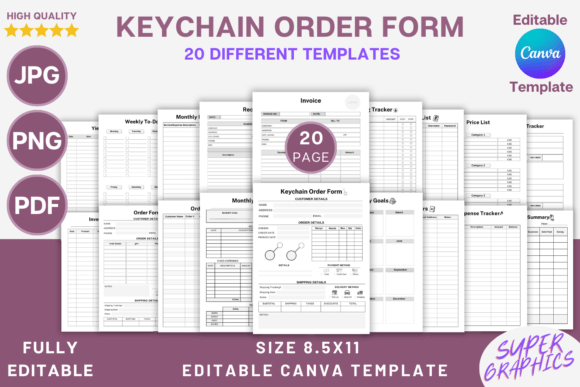
Editable Keychain Order Form Canva Template: Your Business Command Center
If you run a product-based business, you know the chaos of managing orders, inventory, and finances. Sticky notes pile up, spreadsheets get messy, and you waste time searching for customer details. The Editable Keychain Order Form Canva Template is designed to solve that. This isn’t just a single form—it’s a complete organizational system built in Canva, giving you a professional, cohesive way to track everything from custom orders to monthly budgets. It’s a practical design asset for entrepreneurs who value efficiency and a polished brand presence.
Visual Style and Practical Appeal
This template collection has a clean, modern aesthetic. It uses a balanced mix of sans serif and serif typefaces for clear hierarchy—think bold headers for quick scanning and readable body text for details. The layout is minimalist but functional, with ample white space, structured grids, and intuitive sections for checkboxes, lines, and notes. You’ll find it feels professional without being cold, organized without feeling sterile. It’s a style that adapts easily to any brand, whether you’re a crafter selling handmade goods or a small business owner managing a growing inventory.
The real power lies in its flexibility. Every element in this Canva template is editable. You can change fonts to match your brand identity, adjust colors to fit your palette, and add your logo or decorative touches. This level of customization means the template becomes an extension of your brand, not just a generic form. It’s a premium font and design system that elevates your paperwork from mundane to meaningful.
Where This Template System Shines
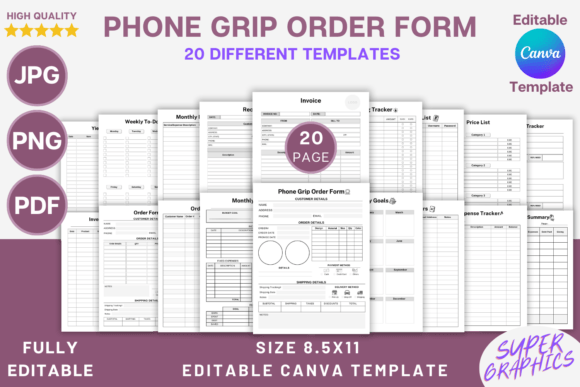
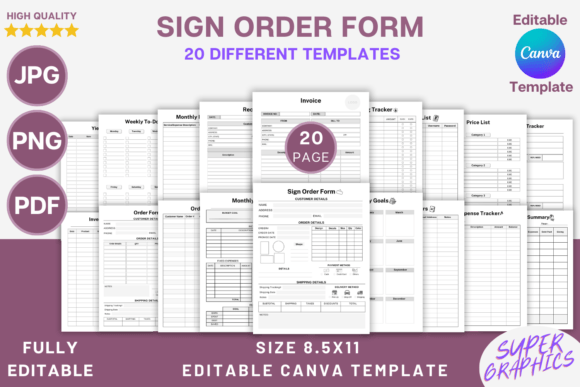
This isn’t a single-use tool. The included set of 20 templates covers nearly every aspect of business management. Here’s how you can use them:
- Custom Orders & Sales: Use the Keychain Order Form and standard Order Form to capture customer details, specifications, and special requests. The Invoice and Receipt templates keep your financial documentation consistent.
- Inventory & Production: Track stock with the Inventory Sheet and monitor production output with the Yield Tracker. This is crucial for crafters and makers who need to know material costs and time investments.
- Financial Management: The Expense Tracker, Monthly Budget, and Financial Summary templates help you see the big picture. Pair them with the Spending Tracker for daily oversight.
- Planning & Goals: Stay on top of tasks with the Weekly To Do List and set direction with Monthly Goals. The Resource List keeps important contacts and suppliers handy.
- Customer Relations: Maintain a Customers database and manage issues with the Return Tracker. This builds trust and professionalism.
Think of it as your operational backbone. The editable keychain order form is just the entry point into a system that supports your entire workflow. It’s particularly valuable for small business owners, crafters, and hobbyists who are scaling up and need to replace scattered methods with a unified process.
Making It Work for Your Brand
Getting started is simple. After purchase, you download the file and click the Canva link. The templates are set at 8.5x11 inches with 300 DPI and no bleed, making them perfect for printing at home or with a professional service. The PDF, JPG, and PNG files give you flexibility for digital use or physical binders.
Here’s a practical tip: spend 30 minutes customizing the templates before you start using them. Change the header font to your brand’s display font, swap the accent color to your primary brand hue, and add your logo to the top corner. This small investment transforms the templates from a generic tool into a seamless part of your brand identity. Consistency in your paperwork reinforces professionalism every time you send an invoice or fill out an order form for a client.
When choosing fonts for customization, consider readability first. A script font might look beautiful for your logo, but for order details and trackers, a clean sans serif or simple serif is easier to read quickly. The template’s original design already balances this well, so use it as a guide. Test your font choices by printing a sample page—what looks good on screen should be clear on paper.
This system works because it’s built on modern typography and thoughtful layout principles. The visual hierarchy guides your eye from the most important information (like order numbers and totals) to supporting details. This isn’t just about looking good; it’s about reducing errors and saving time. When your forms are clear, you fill them out faster, and your customers understand them immediately.
For those in editorial design or packaging design, the principles here are transferable. The way this template organizes information can inspire how you structure client briefs or product spec sheets. It’s a lesson in how good design serves function—something every creative professional understands.
Ultimately, the Editable Keychain Order Form Canva Template is more than a set of pretty pages. It’s a design asset that brings order to the daily grind of running a business. It helps you present a consistent, professional face to your customers while giving you the clarity to make better decisions. Whether you’re managing a side hustle or a full-time venture, having a system like this in place means less time wrestling with paperwork and more time creating.